The aperture tab of the surface dialog allows the user to set various surface trimming properties, including: •inner and outer trimming volumes with specification as a box, ellipsoid, or cylinder, •trimming with surfaces, volumes and collection curves, and •advanced dot-product surface trimming specifications.
Aperture settings are accessible through the Aperture tab of the Edit / View Surface dialog or the Create a New Surface dialog.
Combining Trimming Specifications A surface can be trimmed with multiple surfaces and collection curves using logical statements (AND, OR, grouping parentheses “( )”, and NOT).
Although Surfaces may be trimmed with collection curves, they cannot be trimmed with regular curves, ruled surfaces, extruded surfaces, or any other surface that is generated from curves. The reason for this is because the implementation of regular curves, ruled surfaces, and extruded surfaces does not have a mathematical form that allows for quickly evaluating which side of the object the surface to be trimmed lies on.
This example clarifies the use of the # Trim Volume operation.
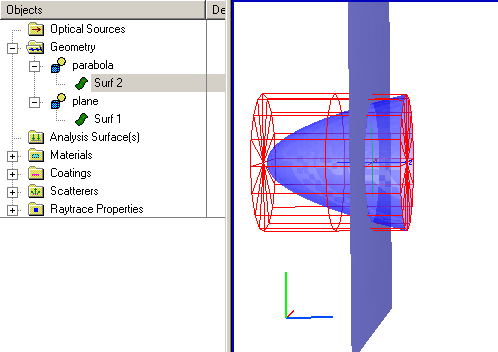
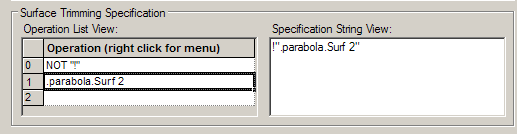
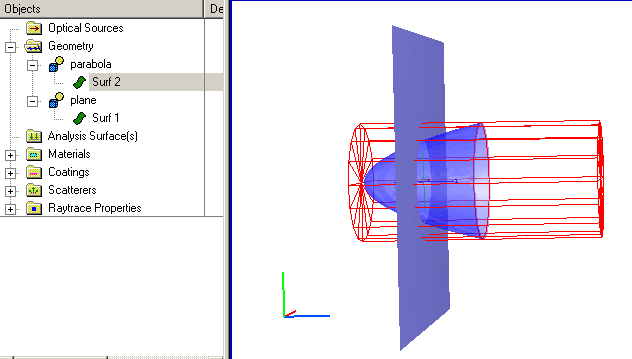
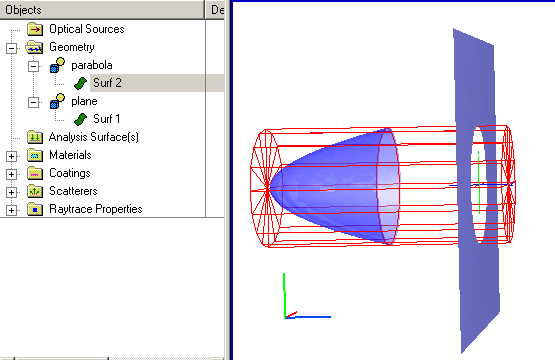
Consider a parabola used to trim a hole in a planar surface as shown below without using the # specification. The trimming operation list for Surf 1 is given by the following:
NOT "!" .parabola.Surf 2
and is shown in the specification string view to be !".parabola.Surf 2". This specification string should be read as, Trim away the parts of Surf 1 NOT (!) on the positive side of Surf 2.
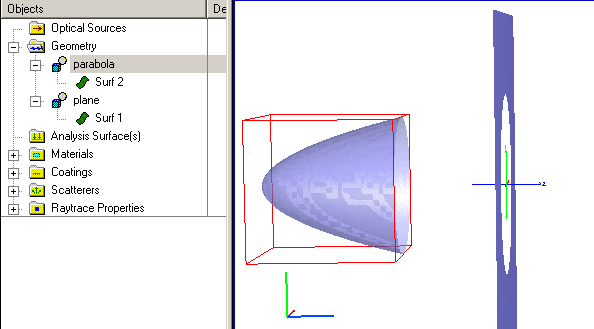
This trimming specification is determined by the intersection of the parabola's surface equation with the plane Surf 1. Because the trimming uses the parabolic surface equation, the area trimmed from Surf 1 depends on the z-location of Surf 2 as shown below. The mathematical form of the parabolic surface is extended until it intersects Surf 1.
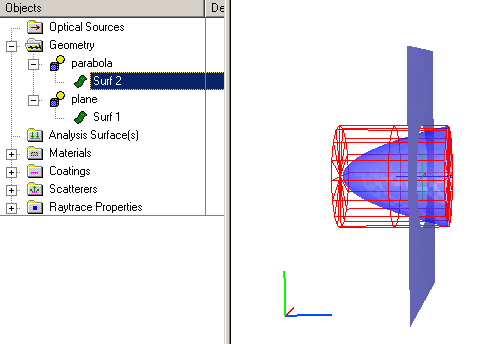
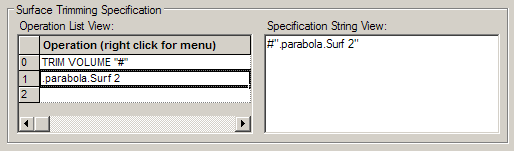
If, on the other hand, we want the hole to remain a fixed size irrespective of parabola's position, the # Trimming Volume specification character # can be added to the trimming specification list. In this case, the outer trimming volume is used to cut the hole rather than the surface equation of the parabola and the trimmed area will be independent of the parabola position as long as the outer trimming volume intersects the plane.
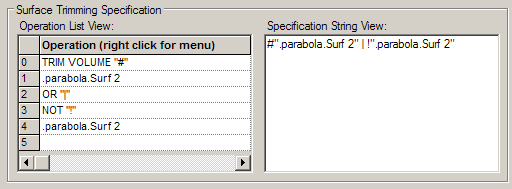
Finally, if we desire that the hole self-adjust its trimmed area as long as the parabola intersects the plane but remain constant otherwise, the two above trimming specifications can be combined with a Boolean OR "|" operation as shown in the following operations list:
TRIM VOLUME "#" .parabola.Surf 2 OR "|" NOT "!" .parabola.Surf 2
and is given in the specification string view as #".parabola.Surf 2" | ! ".parabola.Surf 2". To achieve this trimming operation it is necessary to extend the Z-value of the parabola trimming volume. Note that this has no effect on the parabola dimensions since its clear aperture is dictated by the trimming volume XY dimensions and not the Z dimension.
|
|||||||||||||||||||||||||||||||||||||||||||||||||||||||||||||||||||||||||