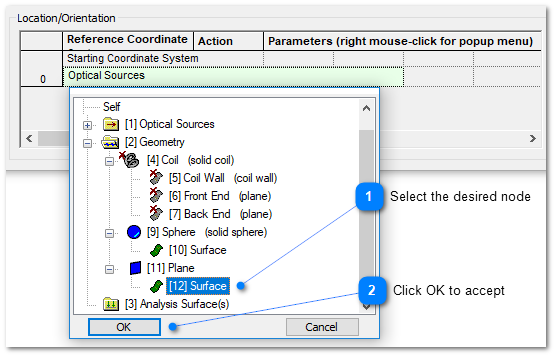
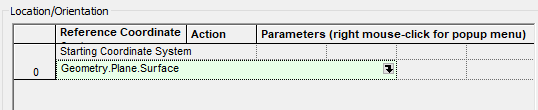
The Entity Picker interface is used to select entities on the object tree for various applications. For example, the entity picker is used to select a coordinate reference system when positioning an object as shown below. This interface appears in many locations through out the software including boolean operations lists, stray light report, single raytrace and the best geometric focus analysis.
The Entity Picker control is used in the following sequence:
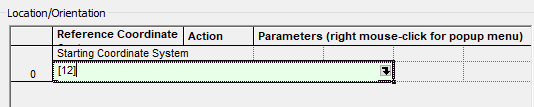
Note that in the graphic for Step 2 above, the selected object has a number next to its name that is enclosed in [ ]. Every object in the model has an assigned node number that corresponds to its location in FRED's internal database of model information. In this case, the selected entity's current node number is 12. If the node number of an entity is known, it can be used directly in the entity picker control interface by entering it as [N]. This is shown below for the entity selected in Step 2 above.
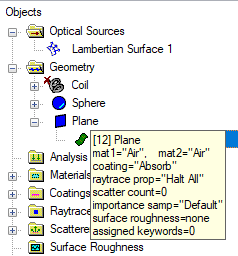
A simple way of retrieving the node number for any entity on the tree is to hover your mouse over the icon of the entity, which will cause a tool-tip dialog to appear. The entity's current node number is shown in the [ ]'s on the top left of the tool-tip, as seen below. To view the tool-tip, be sure that your mouse is hovered directly over the icon of the node on the tree.
Graphical User Interface Summary
|