Ray Selection Criteria define the specific ray properties that must be satisfied in order for a ray to be included in the operation being performed (e.g. Irradiance calculation, Spot Diagram). For example, suppose that you raytraced millions of rays through a complex model with specular and scatter ray splitting enabled. Of the millions of rays that are available for analysis, the Ray Selection Criteria are how you specify which subset of those rays are actually of interest to you. If the goal were to analyze only the rays that ended on a detector surface, the ray Ray Selection Criteria might be specified as shown in the image below.
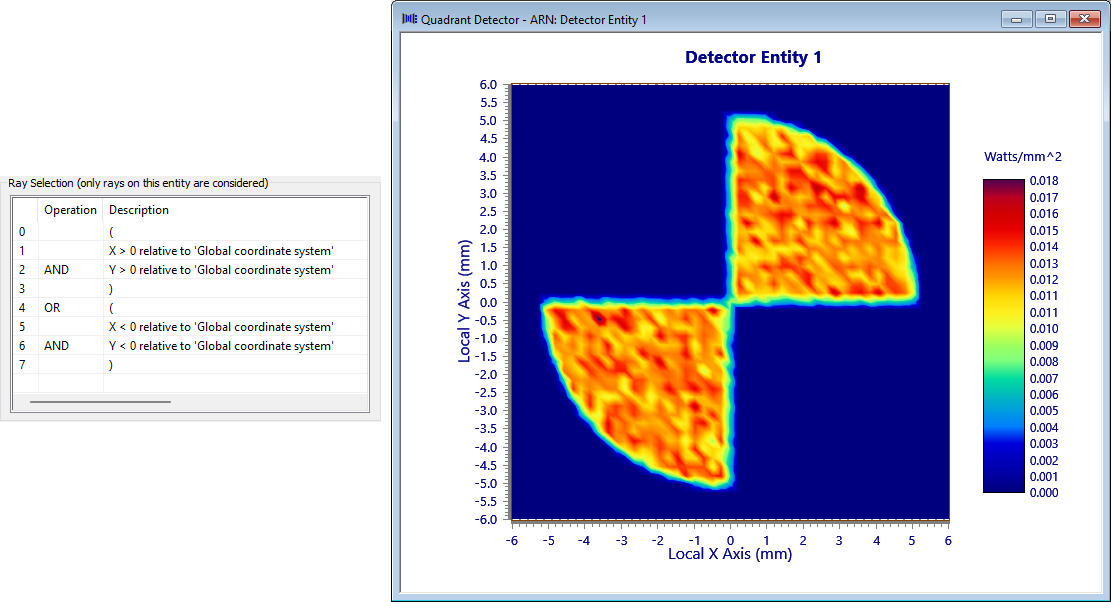
The specific ray selection criteria are logical operations that evaluate to either TRUE or FALSE when applied to a ray. Filters can be grouped together with parentheses to build more complex filter conditions.
Note that the parentheses options are at the top of the drop down list of criteria. Given the default ray filter is "All Rays" you will need to scroll up to see these options.
It is important to understand that where there is no parenthetical grouping of the criteria defined, or where evaluating numerous criteria defined within a group, the criteria are evaluated sequentially in the order they are listed.
Consider the following examples in which a ray selection criteria definition consisting of three filters is applied to a single ray. The ray selection criteria list is shown on the left and its logical application to the single ray is shown on the right. In the top example the serial evaluation of AND-AND-OR results in TRUE, meaning that the ray passes the selection criteria and is included in the analysis or operation. In the bottom example the serial evaluation of AND-AND-AND results in a FALSE, meaning that the ray does not pass the selection criteria and is not included in the analysis or operation.
Ray Selection Criteria will be available for you to define in nearly every case where a ray-based analysis is being performed, so that the resulting operation displays, prints, or writes the resulting data associated with the subset of rays that match your specified criteria.
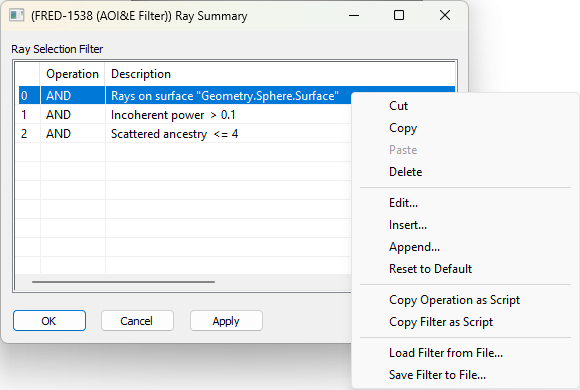
The interface for designating Ray Selection Criteria is shown in the image below and appears in many different contexts within FRED. In general, any time a ray-based analysis (ex. irradiance, best geometric focus, etc.) or ray-based operation (ex. writing ray data to a file) is performed, a Ray Selection Criteria will be applied in order to determine which rays will be operated on.
Right mouse clicking in the spreadsheet area of the Ray Selection Criteria list reveals a context menu that will allow modification of the criteria, including a "Reset to Default" option that will restore the ray selection filter to the standard "All Rays" configuration. Alternatively, double clicking on an existing criteria definition (i.e. row in the Ray Selection Criteria list) is equivalent to calling the Edit context menu option on that criteria.
The Insert and Append options will open the filter selection dialog and then create the chosen filter either before (Insert) or after (Append) the row on which the r-click context menu was invoked on.
Copy Operation / Filter as Script These commands copy either the row that was initially r-clicked upon (Copy Operation) or the entire filter (Copy Filter) to the clipboard. The filter can then be pasted into the script editor to conveniently recreate the required filter in script form.
Allows the saving or loading of a filter to a FRED Filter Collection (.ffc) file.
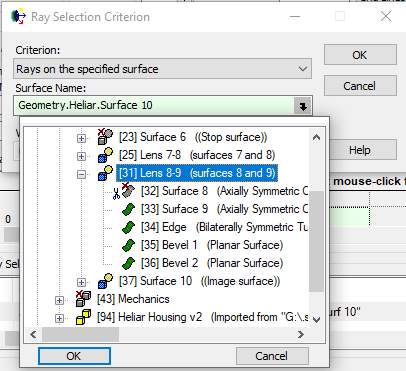
When using the "specified surface" filters FRED will expect the rays to intersect a surface node. However it is possible via the control to select non-surface nodes, such as an Element Primitive, or Custom Element:
In this case the child surfaces will also be checked and rays on child surfaces of the non-surface nodes will also pass the filter and be included in the results.
The exception to this is the selection of non-surface nodes with the "on a path including a specified surface" filter, as this is intended to be used with the Ray Path Node Number(s) control. When using this filter it is vital that the child surfaces have been set to use the correct node for path reporting. If, for example, the child surface nodes [33-36] have been set to report as the custom element parent node [31] for path reporting purposes then using the "specified surface" filter set to the parent custom element [31] with match rays landing on any of those child surfaces that are reporting as node 31. If however no actual surfaces were set to report as node 31 then this filter will not find any matching rays because custom element [31] will not feature in the path due to it not being a valid node for ray intersection.
Ray Angle of Incidence / Exitance Filter This filter operates on the rays angle to the local surface normal in degrees. Note that the rays angle will be the angle of exitance unless the prior trace had been specifically set up to terminate rays on the surface of interest without performing the transmit/reflect operation via the Advanced Raytrace dialog. Therefore when using this filter care must be taken over whether the interpretation of the angle is that of the incidence or exitance value as determined by the properties of the prior trace.
|
.png)
.png)