|
Description
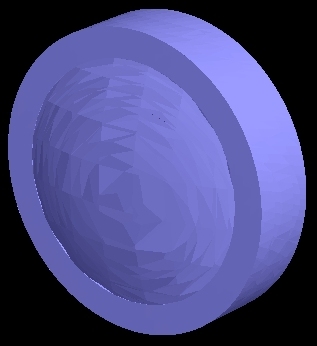
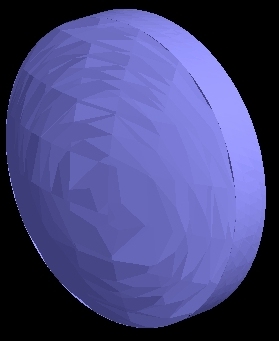
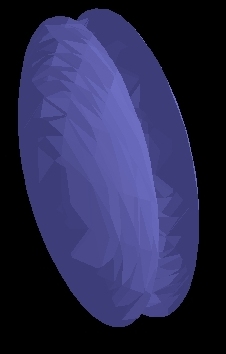
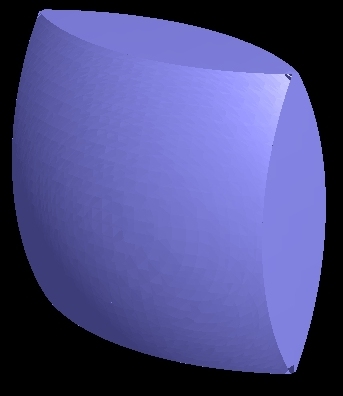
This dialog allows the definition of advanced edge types for lenses and mirrors. The four edge types that can be defined for a lens or mirror are shown below.
|
Edge with front and back bevels
|
Simple circular edge with no bevels
|
|
No edge
|
Simple rectangular edge with no bevels
|
Navigation
This feature can be accessed in the following ways:
•From the Edit / Create New Lens dialog press the "Advanced Settings..." button in the Lens Aperture Specification area.
•From the Edit / Create New Mirror dialog press the "Advanced Settings..." button in the Mirror Aperture Specification area.
Controls
|
Control
|
Inputs / Description
|
Defaults
|
|
Type of Edge
|
Displays edge type to be placed on the object.
•Edge with front and back bevels
•Simple circular/elliptical edge with no bevels
•No edge
•Simple square/rectangular edge with no bevels
|
Simple circular/elliptical edge with no bevels
|
|
Parameters
|
Displays the edge parameters type.
|
X Semi-ape = 0.5
Y Semi-ape = 0.5
|
|
|
|
OK
|
Apply changes and close dialog box.
|
|
|
Cancel
|
Discard changes and close dialog box.
|
|
|
Help
|
Access this Help page.
|
|
Related Topics
Edit/Create New Mirror Dialog
Edit/Create New Lens Dialog
|
Copyright © Photon Engineering, LLC
|
|