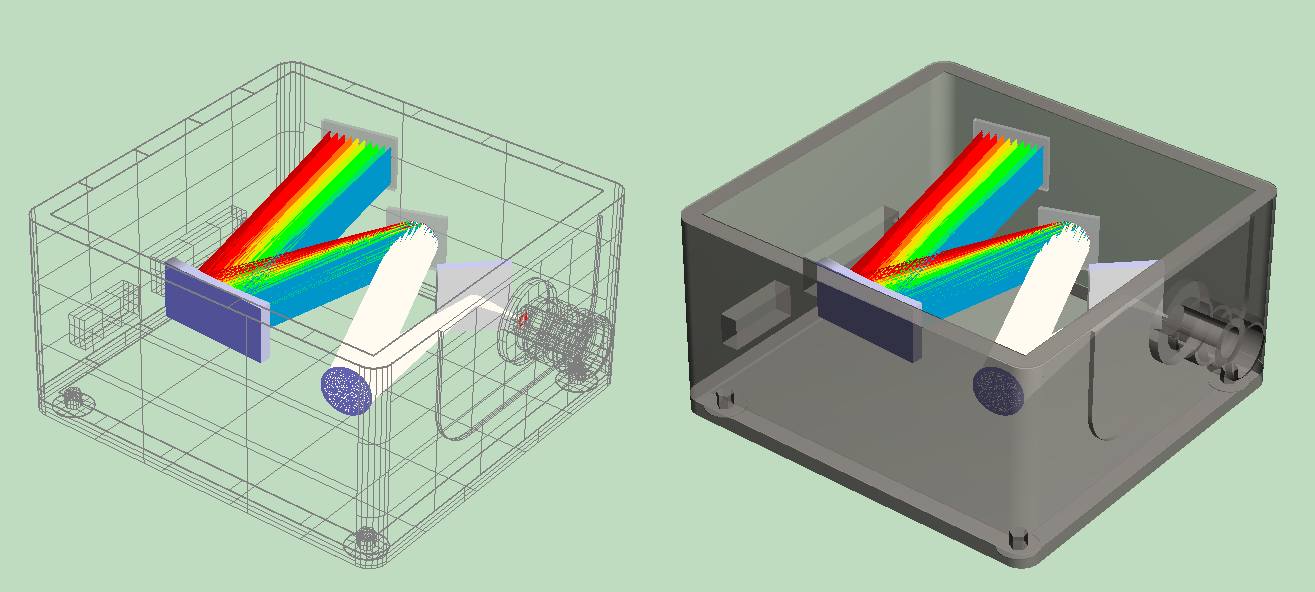
Whilst FRED can import STEP and IGES CAD models - the following points might be helpful when considering the use of CAD.
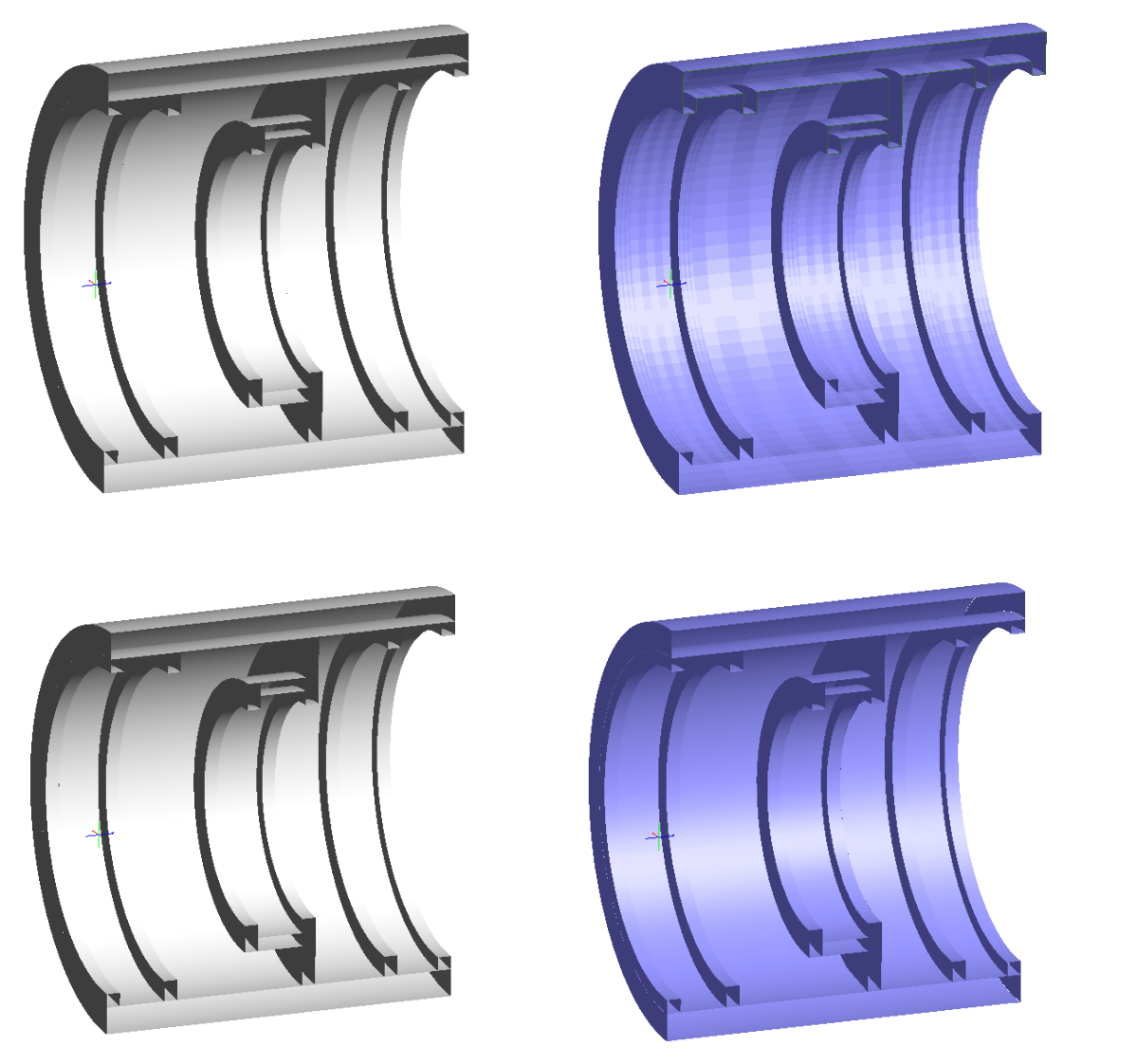
1 - Do you really need CAD?A common use case for CAD import is to bring in a mechanical housing for the optical system, perhaps to perform a study of the full system including stray light. However, in cases such as these the mechanics is often a rotationally symmetric tube with relatively simple internal structure to hold the lenses. In simple cases like this FRED native objects such as an Element Pipe, or a surface of revolution operating on a segmented curve, could be used to create the same shape without the use of NURB's and therefore be much faster to trace. Figure 1 (below) shows four different representations of the same mechanical geometry, only one of which features CAD NURBS.
Fig 1. Four representations of a mechanical mounting for a lens. Clockwise from Top Left is FRED Element Pipe, FRED Revolved Surface (based on segmented curve), an OBJ representation, and NURBS CAD Import
The FRED Native representations (Element Pipes and Revolved Surface) all trace around 10x faster than the same CAD NURBS representation and generate the same final result.
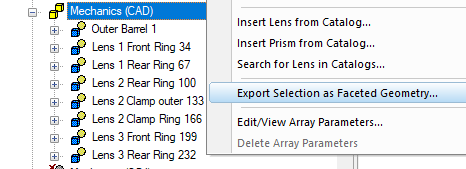
2 - Is a faceted surface sufficient?The original CAD file might be complex to the point that FRED native surfaces are not suitable to represent them, or take too much effort to rebuild within FRED, but we still may be able to to generate a good result without needing NURBS surfaces. It is often the case that the mechanics surface finish will be highly diffuse to limit stray light contributions, and where scatter is the primary mechanism for the outgoing rays a faceted surface representation may be sufficient. A faceted OBJ representation is often available as a simple export option from the original CAD software, or can be created from the CAD object after import into FRED using the R-Click option to Export Selection as Faceted Geometry:
The resulting OBJ file can be loaded back into FRED using the Faceted Surface type within a Custom Element, after which the original CAD import can be removed.
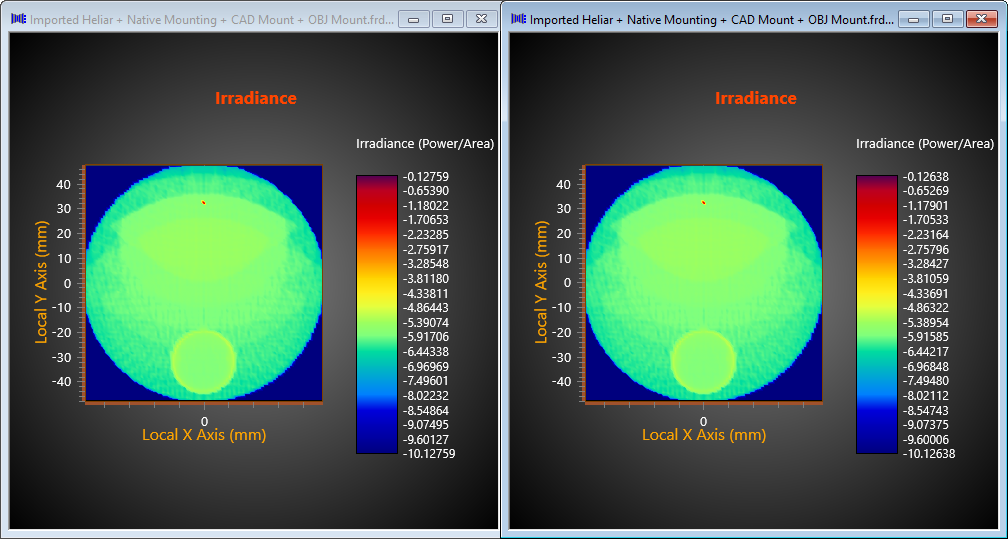
The OBJ representation (shown bottom right in fig 1) with a diffuse scattering finish also traces around 10x faster than the CAD NURB representation and generates the same result as shown in figure 2 below. (Note that OBJ may not be suitable in the presence of strong specular effects).
Figure 2. Stray light irradiance result generated due to lens mounts represented by faceted OBJ representation (Left) and CAD NURBS (Right)
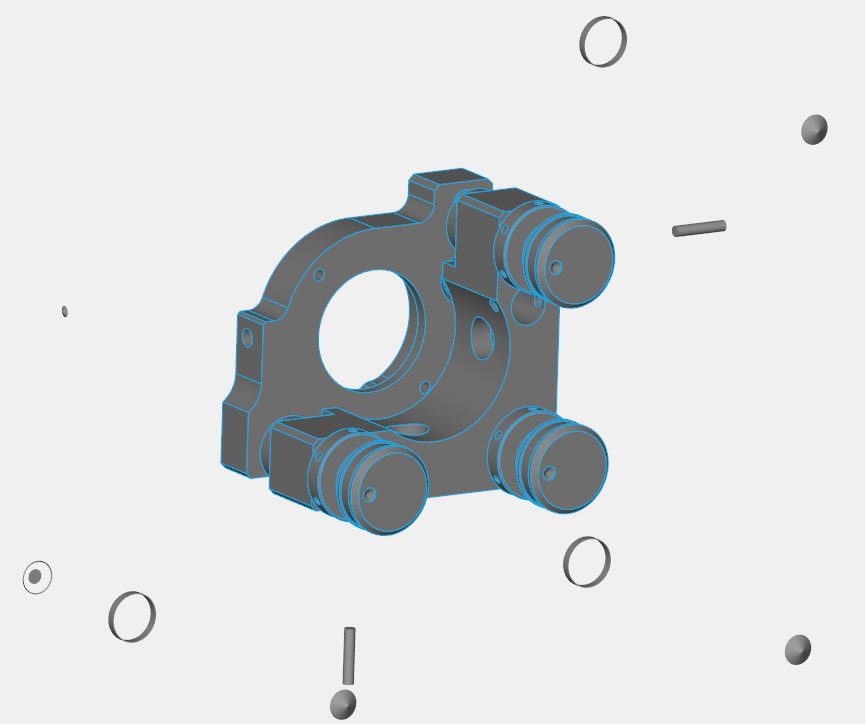
3 - Can the CAD be simplified?Often the CAD model provided by the mechanical engineer may include numerous internal parts that are of no consequence to the raytrace. In these situations it can be helpful to the trace time to "de-feature" the CAD components to reduce the number of surfaces by eliminating unnecessary surfaces such as those representing screws, gimbals, springs, rods, etc that are not relevant to the optical path. This can be done within the CAD software or within FRED post import by going through the entries in the object tree and deleting unnecessary surfaces.
Figure 3 - An "Exploded" view of an Optical Mount in CAD (created in 3DConnexion Viewer) showing several internal surfaces.
4 - Avoid multiple copies of CAD componentsOver the course of building an opto-mechanical model several versions of the mechanics can be imported and accumulate in the file. Whilst it is possible in FRED to import CAD multiple times and make the prior versions non-traceable, this is generally a situation best avoided as the non-traceable CAD components still consume system memory which therefore can't be used for rays, and slow down our interactions with the model. In extreme cases excessive memory usage by CAD can consume enough RAM to force the calculation to page to disk. It is recommended to delete from the object tree any CAD components that are no longer in active use in the model.
5 - Render with the wire frame representationWire frame is the default rendering when importing CAD, and for speed of interaction with the 3D view it is recommended to leave this at the default, only switching to Surface Shaded rendering to produce presentation screen shots.
|