Description Creates a new sampled spectrum of a predefined type. The available types are Photopic response, Scotopic response and the CIE X, Y and Z color matching functions.
Syntax spectNode = SpectrumCreatePredefinedSampled( nType )
Parameters spectNode (Long) Node number of the newly created spectrum
nType As Long Long value indicating the type of pre-defined spectrum to add. Valid entries are: 0: Photopic Response 1: Scotopic Response 2: CIE X color matching function 3: CIE Y color matching function 4: CIE Z color matching function
Example The following example creates a new CIE X spectrum, names the spectrum and updates the FRED document.
Dim spectNode As Long
spectNode = SpectrumCreatePredefinedSampled( 2 ) SpectrumSetName spectNode, "CIE X" Update
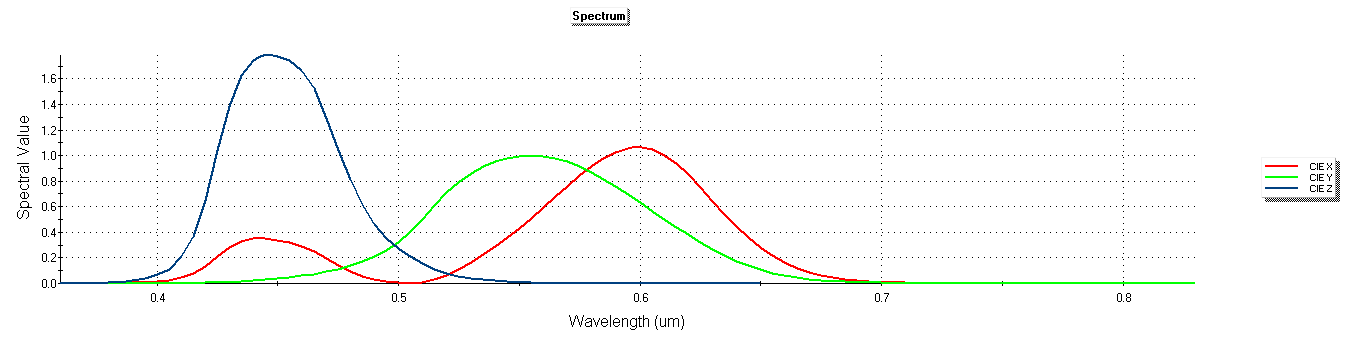
Remarks The following image shows the spectrum plots for the CIE X, Y and Z color matching functions.
See Also
|